The Most Convincing Phishing Trick May Be Hiding Inside the Domain Name

What if a web address looks familiar and safe but still leads to a malicious website? That is the core danger behind IDN homograph attacks, also known more technically as IDN homoglyph attacks. These attacks use visually similar Unicode characters to create domain names that resemble trusted brands, banks, government portals, email platforms, or business systems.
This issue matters because phishing no longer depends only on poor spelling or obviously suspicious links. A fake website can now look polished, use HTTPS, copy a real brand, and display a domain name that appears almost identical to the real one. For Sri Lankan SMEs, banks, ISPs, and public-facing organizations, this is not just a technical curiosity. It is a practical cyber risk that fits directly into the wider rise of phishing, spoof websites, WhatsApp scams, and online financial fraud.
01Homograph vs. Homoglyph
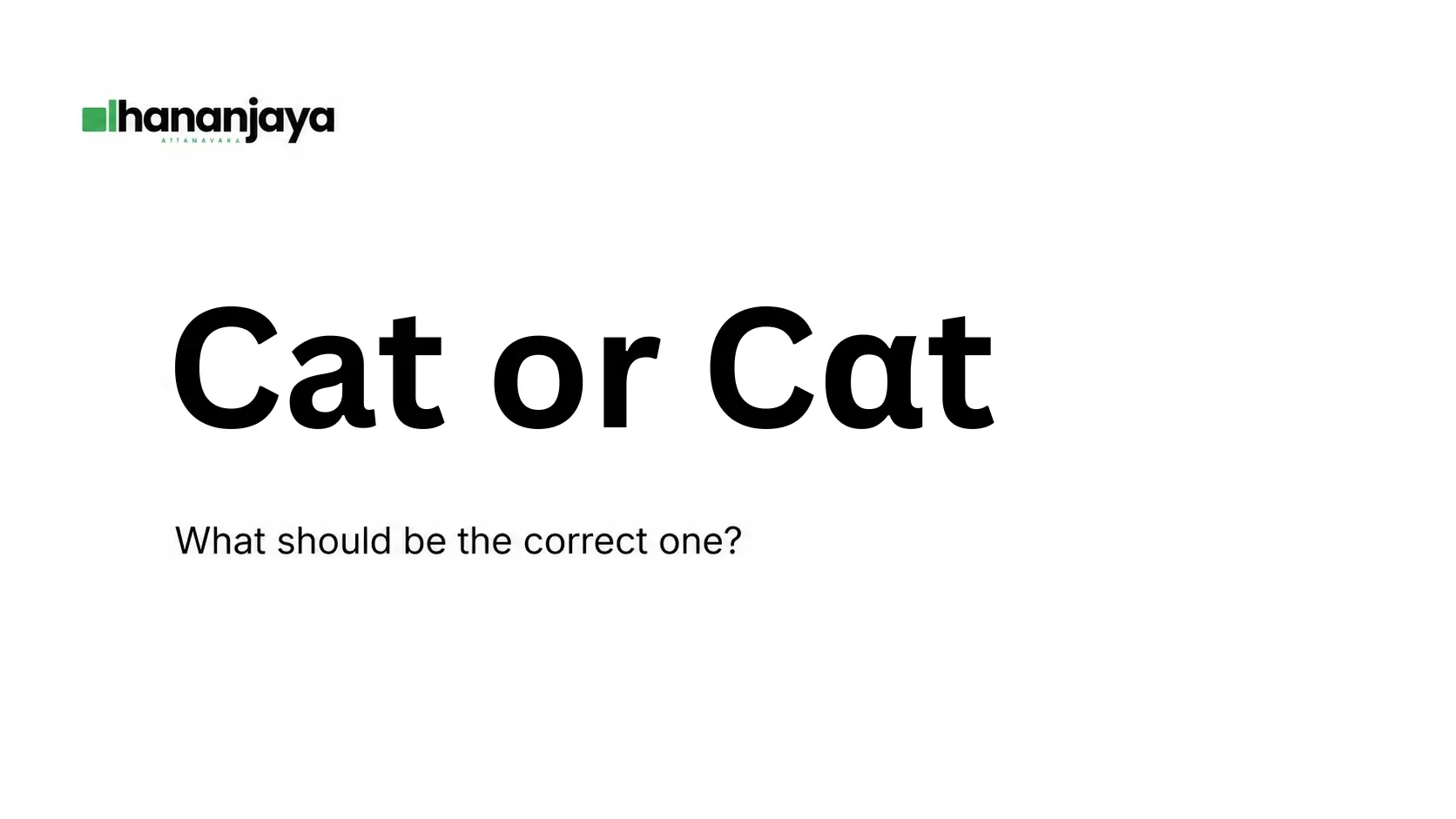
The word "homograph" is widely used in cybersecurity, although "homoglyph" is more technically accurate. A homoglyph is a character that looks like another character. For example, a letter from one writing system may look almost identical to a Latin letter. Attackers exploit that visual similarity to make fake domains appear legitimate.
02What Are IDNs and Punycode?
Internationalized Domain Names, or IDNs, were created to make the internet more inclusive. Traditional domain names were built around ASCII characters: English letters, numbers, and hyphens. That was limiting for users whose languages use other scripts, such as Sinhala, Tamil, Arabic, Chinese, Cyrillic, and Greek.
IDNs allow domain names to include Unicode characters. This makes it possible for people to type, read, and remember web addresses in their own languages. Sri Lankan local script domains, including Sinhala and Tamil domain options, are legitimate examples of how IDNs support local-language access.
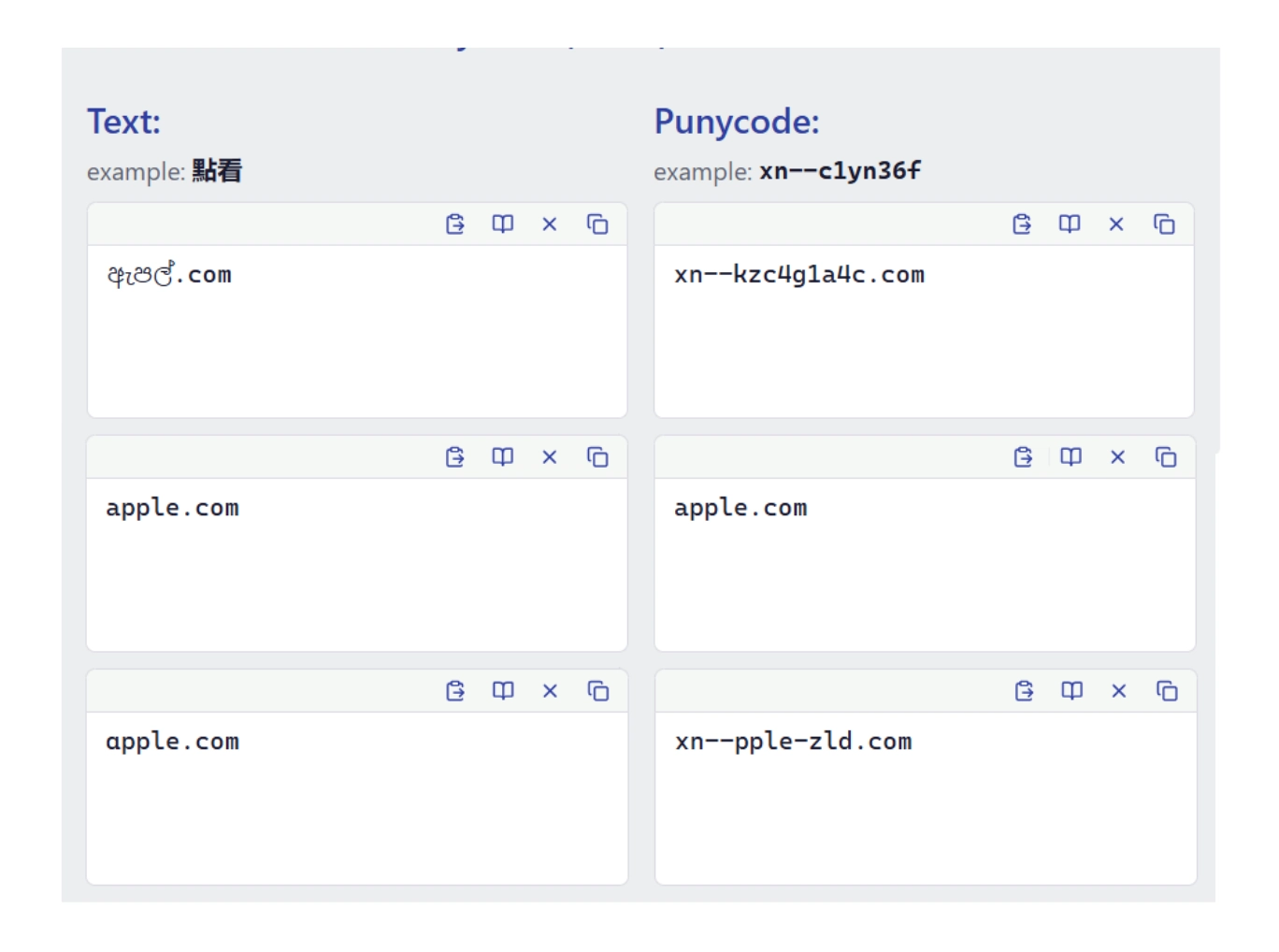
However, the global Domain Name System still relies on ASCII-compatible labels. Punycode solves this technical gap by converting Unicode domain labels into an ASCII format that DNS can process. These encoded labels usually begin with xn--. Users may see the Unicode version in a browser while DNS handles the Punycode version behind the scenes.
Punycode is not a loophole or a hacking trick. It is a standards-based mechanism. The security problem begins when browsers, apps, or users display and interpret Unicode characters in ways that attackers can exploit.
03How IDN Homograph Attacks Work
An IDN homograph attack happens when an attacker registers a domain that is technically different from a trusted domain but visually similar to it. The attacker may replace one or more Latin letters with lookalike characters from another script.
A historically important example is Xudong Zheng's 2017 all-Cyrillic apple.com lookalike demonstration. That case showed how a domain made entirely from Cyrillic characters could visually resemble Apple's domain and bypass some browser protections at the time. It should be understood as a historical security lesson, not as a current Chrome vulnerability. Chrome addressed that specific issue in 2017, and Safari's more conservative IDN display rules meant it was not vulnerable to that exact demonstration.
The broader lesson remains important. Attackers keep looking for domains that pass technical checks while still fooling the human eye. On small mobile screens, in messaging apps, or inside email previews, even a careful user may miss the difference.
- Mixed-script attacks combine characters from different writing systems. One Latin letter in a familiar brand name may be replaced with a similar-looking Cyrillic or Greek character.
- Whole-script confusable attacks are more subtle. The entire domain may be written using one non-Latin script, yet the complete word still resembles a Latin brand.
04Why Browser Protection Is Helpful but Not Enough
Modern browsers have improved their IDN defenses. Chrome and Chromium-based browsers use techniques such as script analysis, mixed-script checks, skeleton matching, Punycode fallback, and lookalike warnings. These controls help decide whether a domain should be displayed in Unicode or shown in its safer Punycode form.
Microsoft Edge also benefits from Chromium's IDN rendering behavior. However, it is important not to confuse this with Microsoft Defender SmartScreen. Edge's homograph and IDN display handling primarily comes from Chromium. SmartScreen is a separate reputation-based protection system that checks URLs and downloads against known or suspected threats. It can help block phishing pages, but it is not the same as IDN homograph detection.
Safari also deserves separate treatment. Apple's browser includes fraudulent website warnings, but Safari has historically been more conservative about displaying certain IDNs in Unicode. For higher-risk scripts or unexpected script-and-domain combinations, Safari may display Punycode instead. This can reduce exposure to some attacks, although no browser should be treated as perfect.
Research has shown that browser protections still miss a meaningful number of homograph-style domains. That means browser warnings are useful, but they are only one layer of defense. A user should never assume a link is safe simply because no warning appeared.
05Why This Matters for Sri Lankan Businesses
Sri Lankan businesses rely heavily on email, WhatsApp, online banking, payment gateways, cloud tools, courier services, and social media. These are exactly the channels attackers use to distribute fake links.
A criminal could create a lookalike domain for a bank, a supplier portal, a government service, a payroll system, or a Microsoft 365 login page. The fake site may ask the victim to enter a password, one-time passcode, card number, or business email credentials. Once the attacker gets access, the damage can move quickly: account takeover, invoice fraud, payment redirection, customer data theft, or reputational harm.
SMEs are especially exposed because many do not have dedicated security teams. Staff may handle finance, customer service, admin, and IT tasks at the same time. A single convincing link in WhatsApp or email can be enough to start a serious incident.
06Password Managers Help, but They Are Not Magic
Password managers are still valuable because they reduce password reuse and can help users notice when a website does not match a saved login. However, businesses should not assume that every password manager always uses strict exact-domain matching.
Some password managers use parent-domain, fuzzy, or app-associated matching rules. Past mobile and embedded-webview research has also shown that autofill behavior can fail in certain scenarios. The safer approach is to configure password managers with the strictest available matching, avoid risky autofill settings, and train staff to check the full domain before entering credentials.
A password manager should be part of the defense, not the only defense.
07Practical Defenses Against Fake and Lookalike Domains
The strongest approach is layered protection. Start with browser security settings and keep built-in protections enabled. Then extend that coverage outward to the network, inbox, and brand-monitoring level so you are not relying only on individual users to spot a convincing fake.
- Keep browser protections such as Google Safe Browsing, Microsoft SmartScreen, Safari fraudulent website warnings, and similar controls enabled.
- Use DNS filtering or managed DNS security gateways to block known malicious domains before fake pages load.
- Add email and collaboration link protection for phishing attempts arriving through email, Teams, Google Workspace, SMS, or WhatsApp.
- Monitor for newly registered lookalike domains, typo domains, Unicode variants, and suspicious brand-related registrations.
- Use defensive domain registration for high-risk public brands, especially banks, e-commerce platforms, payment providers, and companies with Sinhala or Tamil brand visibility.
08What Sri Lankan ISPs and Larger Organizations Can Do
ISPs can reduce harm at scale by offering protective DNS as an easy opt-in or default security feature. They can also maintain threat feeds, block confirmed malicious domains, and share indicators with national cybersecurity bodies and relevant registries.
Banks and high-risk customer-facing businesses should avoid teaching customers to log in through links in SMS, WhatsApp, or promotional emails. A safer pattern is app-first access: open the official banking app, official website, or bookmarked portal directly.
Organizations should also prepare an incident response process before a fake domain appears. This should include evidence collection, screenshots, message headers, WHOIS or registrar details, hosting information, and timestamps. The malicious domain should be reported to the registrar, hosting provider, browser reputation services, relevant platforms, Sri Lanka CERT, and law enforcement where appropriate.
09Legal and Registry Remedies
For trademark-based abuse, the Uniform Domain Name Dispute Resolution Policy, or UDRP, applies to all generic top-level domains, including new gTLDs. Some country code top-level domains voluntarily adopt UDRP or similar dispute processes, but ccTLD coverage is not automatic.
This distinction is important for Sri Lanka. A .com lookalike may fall under UDRP, but .lk disputes depend on LK Domain Registry's own rules and processes unless a UDRP-style framework has been adopted. Businesses should understand both the global domain dispute route and the local registry route.
Legal action is rarely fast enough on its own. The best response combines technical blocking, abuse reporting, customer communication, and formal dispute action where needed.
010Final Thoughts
IDNs and Punycode are legitimate parts of the multilingual internet. They help people use domain names in their own languages and support a more inclusive web. The danger comes from Unicode lookalike characters, inconsistent display behavior, and human trust in what appears to be a familiar domain.
For Sri Lankan SMEs, banks, ISPs, and digital service providers, IDN homograph attacks should be viewed as part of the broader phishing and spoof-domain threat landscape. The answer is not to reject IDNs. The answer is to manage the risk properly.
Use safer browser settings, DNS filtering, email link protection, password-manager hardening, MFA, domain monitoring, defensive registration, staff training, and fast reporting. No single tool will stop every fake domain, but a layered defense makes it far harder for attackers to turn a lookalike web address into stolen credentials, lost money, or damaged customer trust.
Enjoyed this article?
If this topic resonated with you or sparked an idea around technology, delivery, or digital strategy, feel free to reach out.